How to connect to your rust server
Learn how to connect to your rust server via steam or inside of rust!
2 min readUpdated January 7, 2025NodeByte Team
rustconnection
Steam
If you would like to add your as a default favourite on Rust then follow the below.
You MUST have a QUERY port enabled for this. Follow this guide to see how to get one.
-
Open Steam
-
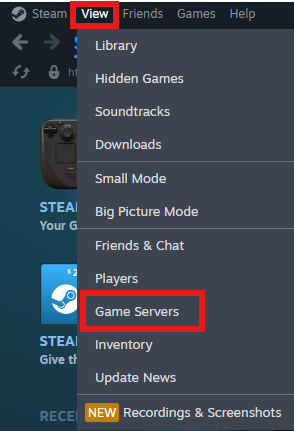
Go to View > Game Servers
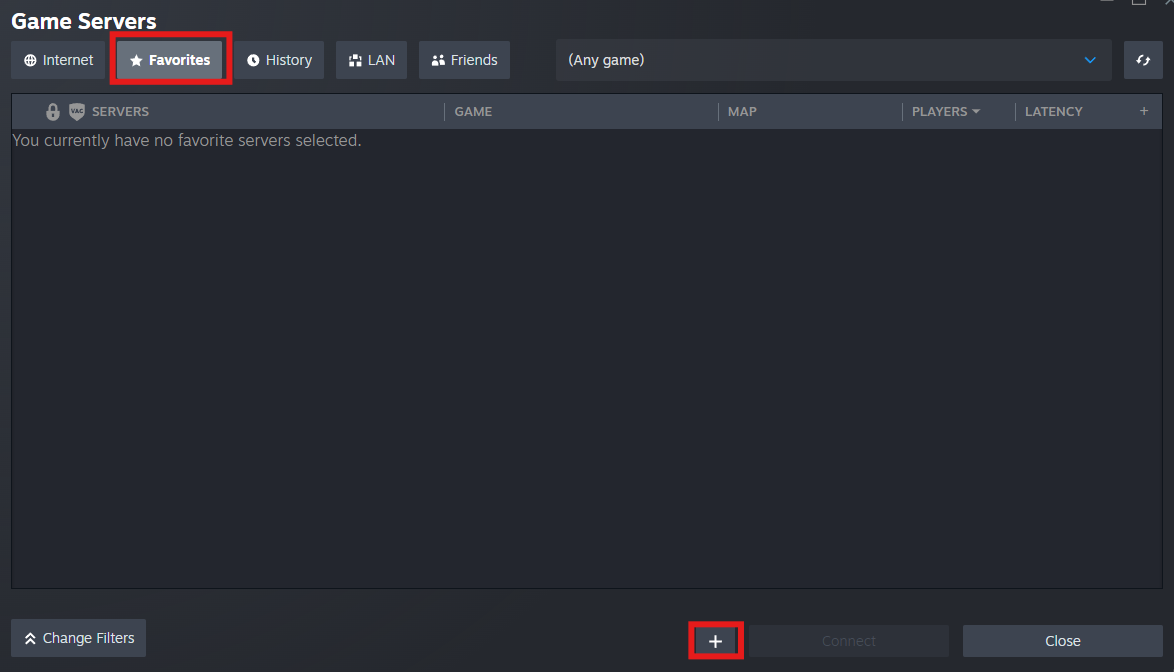
- Click on the "Favorites" Tab and then click on "+"
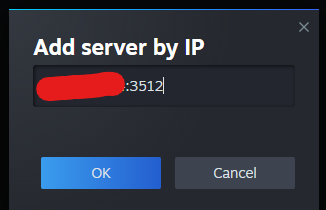
- Add your IP + QUERY PORT (You can find this on the panel Under "Network")

- Click on "OK" and the server will be added to the list
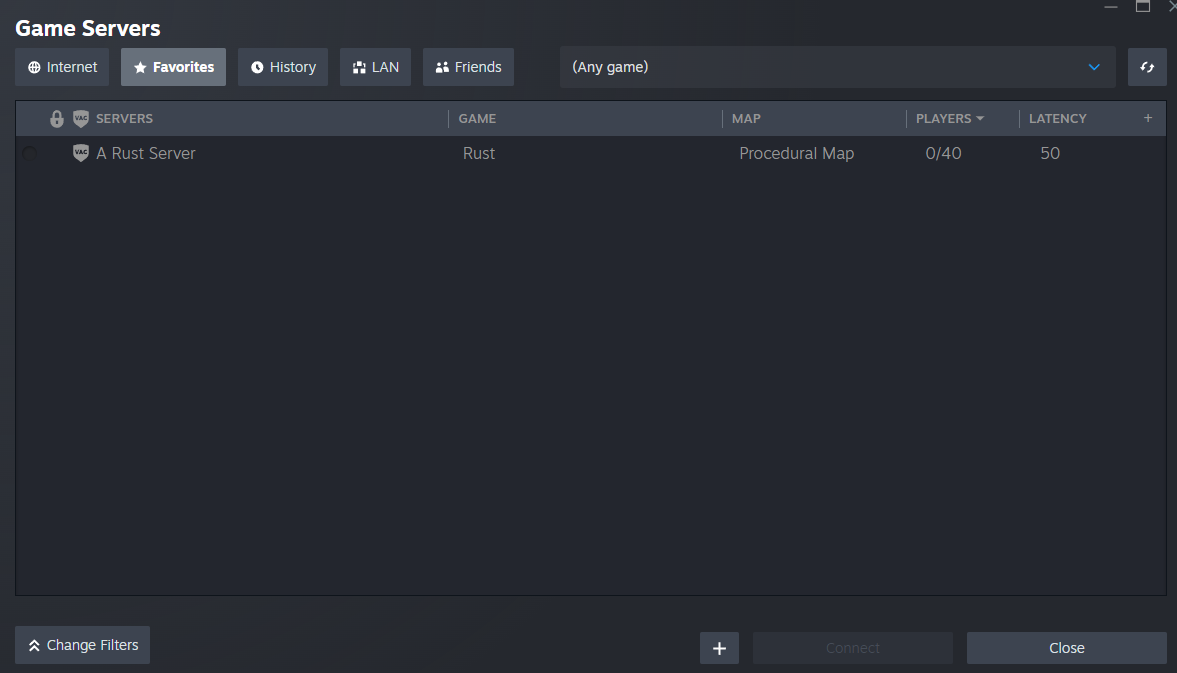
- You can either connect directly from Steam or Load up Rust and connect under the "Favorites" inside of Rust's Server List

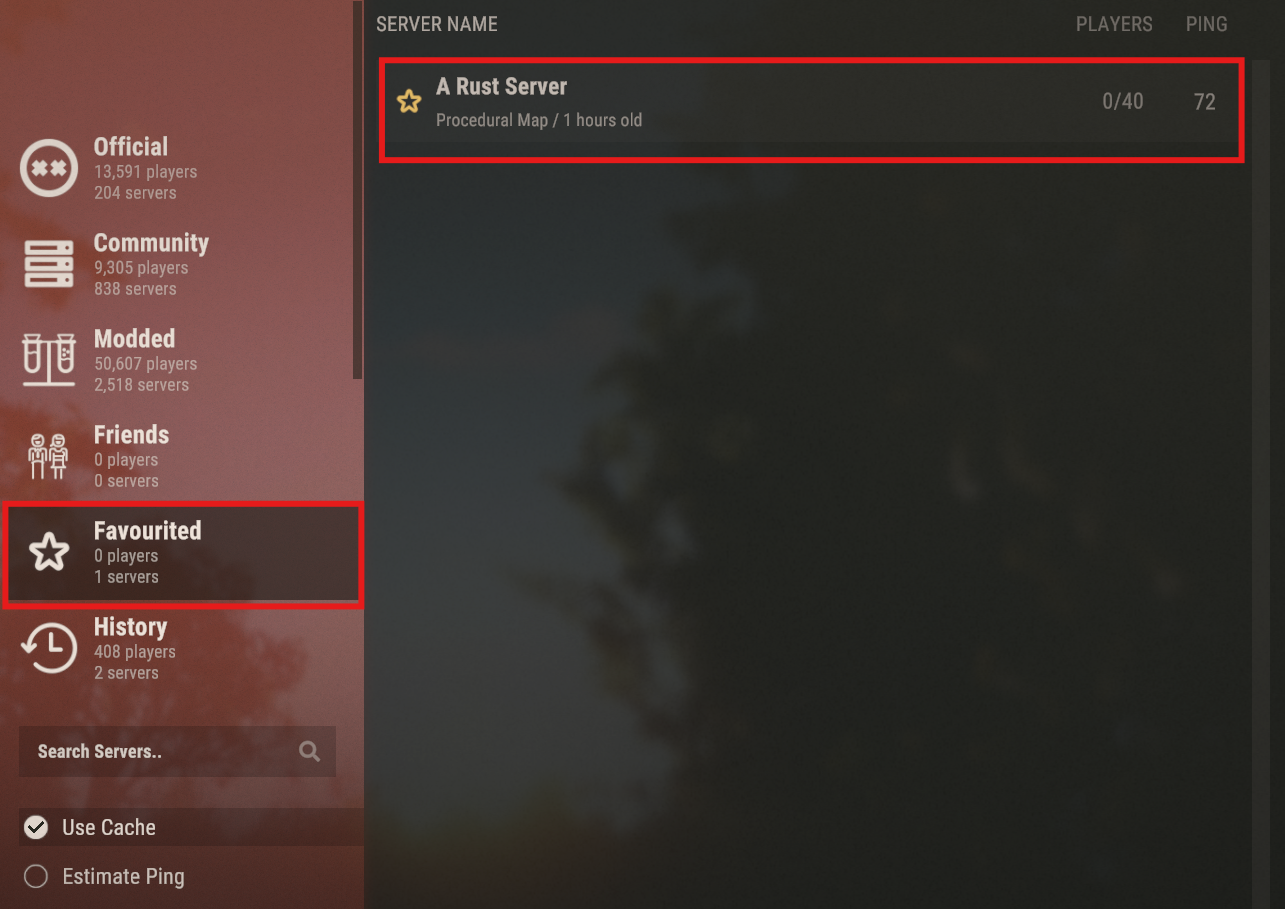
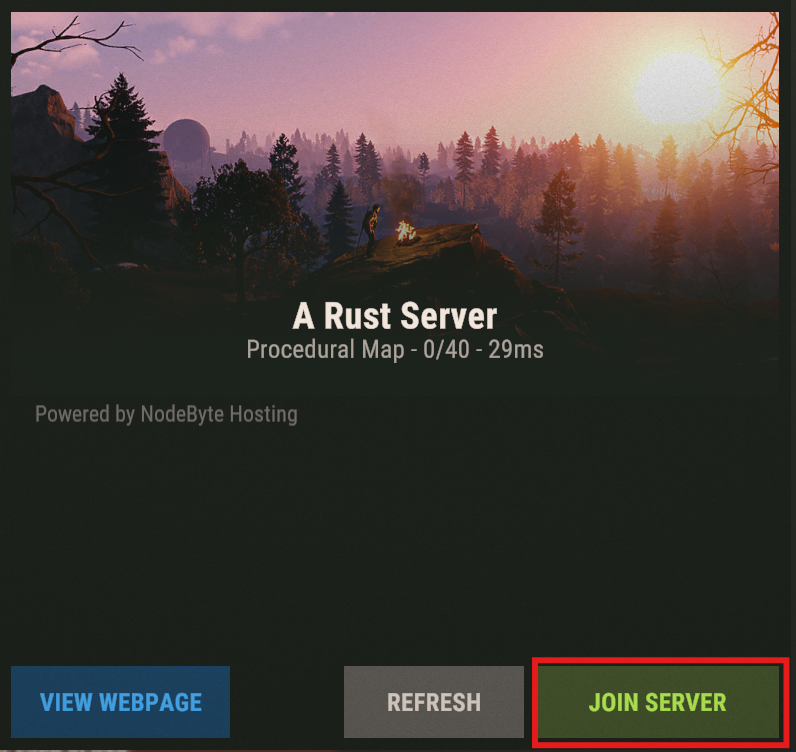
Rust
-
Open Rust
-
When you get to the main menu press "F1" to open the console
-
Type in
connect <yourip:port>(The port will be your main server port)
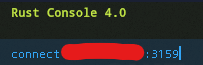
- Press "Esc" to close the console
Support
If you have any issues, connecting to your server or need some help, please contact our Support Team.