How to add mods and plugins to your server
Learn how to add mods and plugins to your server
1 min readUpdated January 17, 2025Rizon
gamehytalemodsplugins
At this time there is only a fair few mods that will require additional setting up, please check their documentations for help!
We recommend getting mods from curseforge
Adding plugins to your server
-
Stop your server
-
Go to "File Manager"
-
Go to a folder called "mods"
-
Drag the .jar into the folder
-
Once the .jar file is uploaded start your server backup!
Adding Mods to your client
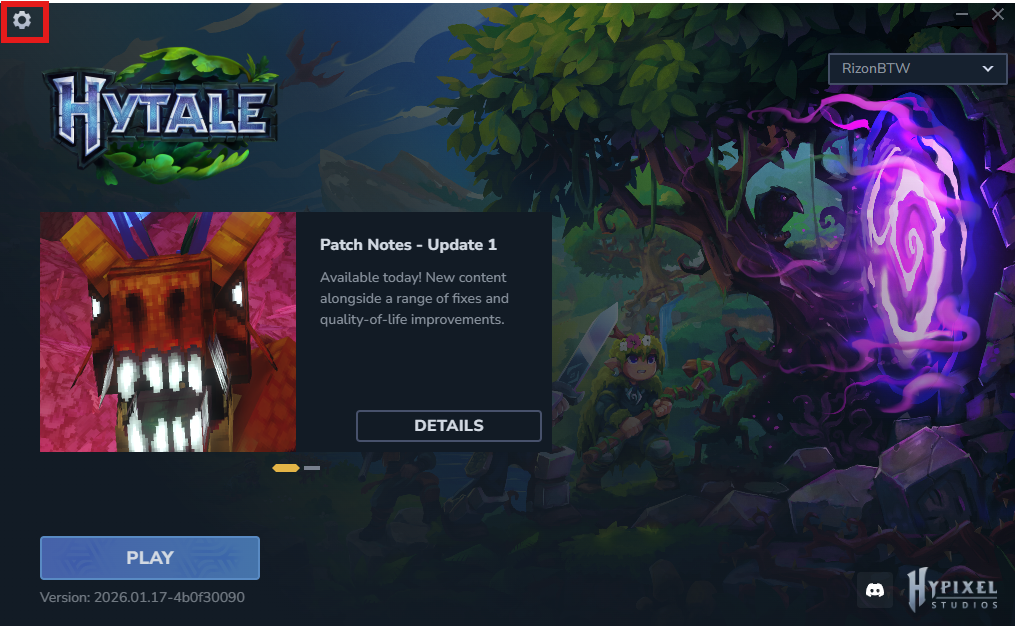
- On the "Hytale Launcher" click the gear icon in the top left corner
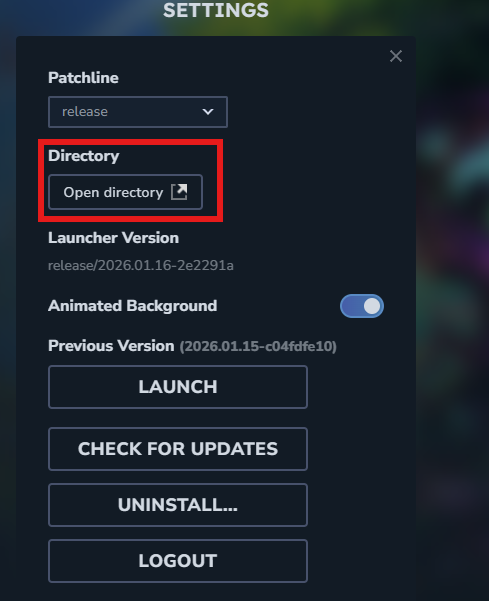
- Click on "Open directory"
-
Go to "UserData/Mods"
-
Drag the .jar file into this location then start up hytale!