Setting your server password
Learn how to set or change your Hytale server password.
1 min readUpdated January 17, 2025Rizon
gamehytale
-
Stop your server before making any changes
-
Go to "File Manager"
-
Click on "Config.json"
-
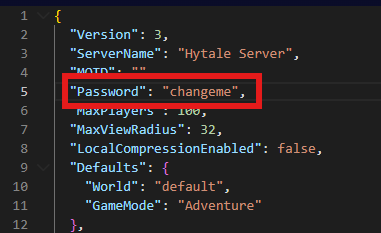
Within your config.json you will see "Password" change this to any password you would like, then save the file.!
- Start your server
Connecting with a server password set
-
Load up Hytale
-
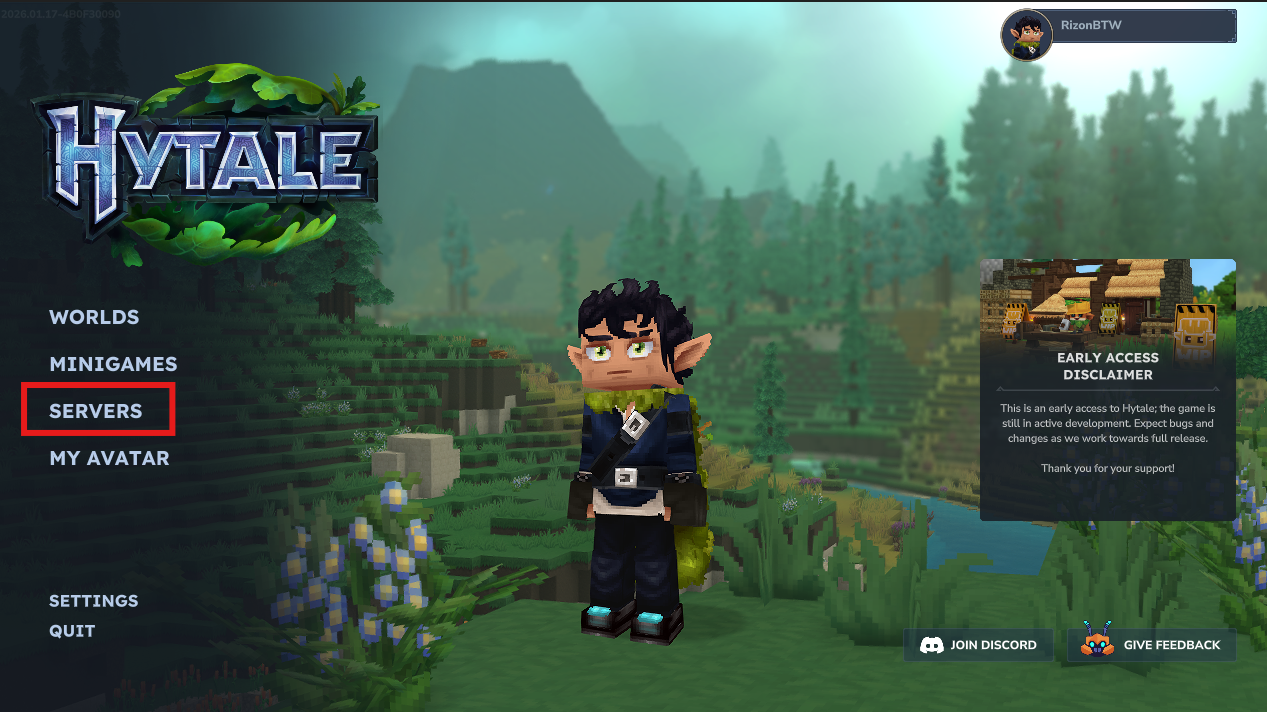
Go to "Servers"
-
Either direct connect or Double Click on the server you added Knowledge Base found here
-
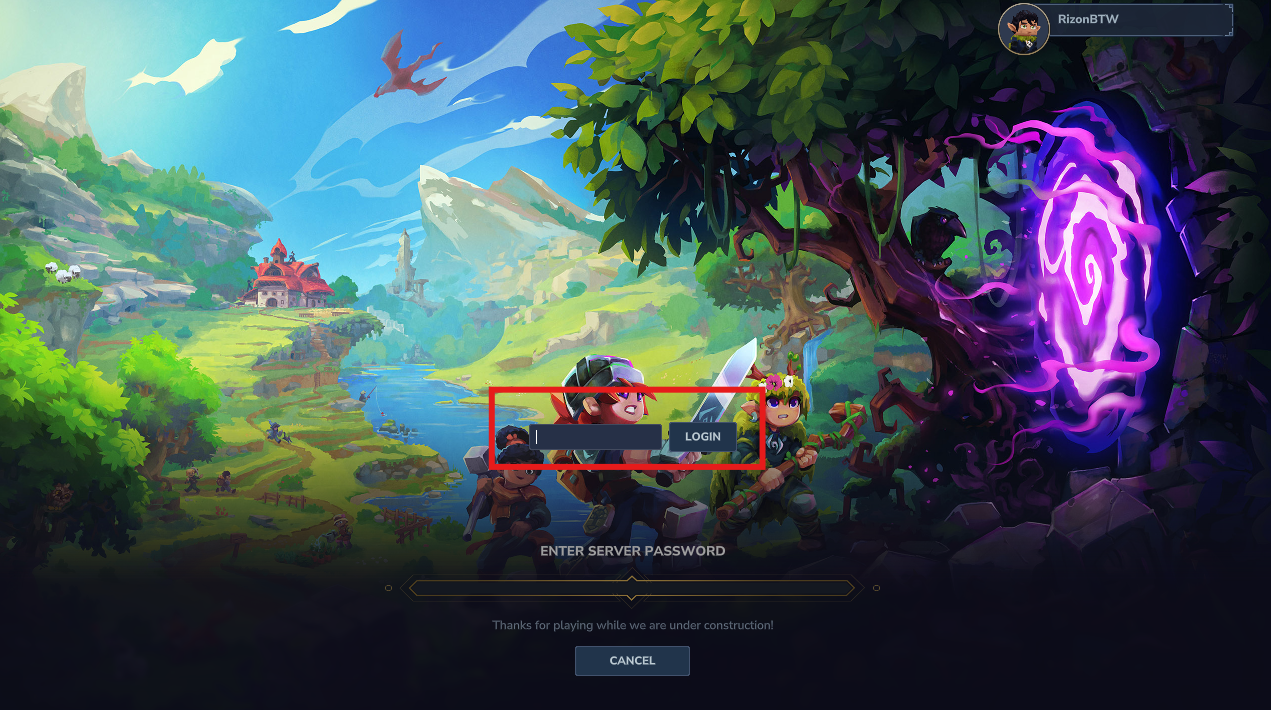
Enter your password here then click "login"
Unsetting your password
-
Stop your server before making any changes
-
Go to "File Manager"
-
Click on "Config.json"
-
Remove any text in the password field then save
-
Start your server and you should no longer be asked to sign in.